%20(1).png)
June 3, 2026
Best Candidate Screening Software Malaysia: 5 Tools to Compare
Find the best candidate screening software for Malaysia hiring teams by comparing AI video interviews, assessments, multilingual support, and reports.
.avif)
Hiring software powered by AI isn’t just for large companies anymore. Smaller teams can now use AI-assisted hiring tools to reduce manual work at specific recruitment stages without taking on enterprise-level costs.
This guide compares budget-friendly hiring tools by recruitment stage, so small and mid-sized teams can decide where AI can reduce manual work without paying for features they do not need.
Many hiring teams search for affordable AI recruiting software because they want to reduce manual work. But “manual work” can mean different things depending on the stage of recruitment.
For one team, the biggest problem may be sourcing enough qualified candidates. For another, it may be reviewing hundreds of resumes. For another, it may be running first-round interviews or comparing shortlisted candidates fairly.
That is why a stage-based comparison is more useful than a generic list of tools.
Instead of asking, “What is the cheapest AI recruiting software?” ask:
The right answer depends on where your hiring process slows down.
The list below compares tools by hiring stage so you can understand which type of tool fits your current hiring bottleneck.
Quick Comparison
Sourcing is the first stage of hiring. It focuses on finding and attracting candidates before they enter your recruitment pipeline.
This stage usually includes job posting, candidate search, talent database search, outreach, passive candidate engagement, and job board distribution.
If your biggest hiring challenge is that you do not have enough applicants, you probably need a sourcing-focused tool before you need an interview or assessment platform.
What to Look for in Sourcing Tool
A good sourcing tool should help your team:
The key affordability question at this stage is not only the monthly price. You should also check whether the tool charges by user, contact credit, outreach volume, job slot, or database access.
A low monthly price can become expensive if your team needs multiple recruiter seats or large volumes of candidate contact data.
Tools to Consider for Sourcing
See also: 5 Most Common Candidate Screening Methods (Plus Recommended Tools)
Resume screening is where many hiring teams start to feel the cost of manual recruitment.
When a job attracts dozens, hundreds, or thousands of applicants, recruiters often spend hours reviewing resumes one by one. This can slow down hiring and make it harder to identify the strongest candidates quickly.
Resume screening usually includes resume parsing, candidate filtering, skill matching, experience matching, shortlisting, and rejection or next-step decisions.
This is one of the most practical stages for AI hiring tools because the work is repetitive, time-consuming, and easy to structure around clear hiring criteria.
What to Look for in Resume Screening Tool
At this stage, affordability should be measured by cost per candidate screened, not just subscription price.
Look for tools that can help you:
Avoid choosing a tool only because it has the lowest monthly price. If it still requires heavy manual review, it may not actually reduce your hiring cost.
Tools to Consider for Resume Screening
Interviewing is another stage where hiring teams often lose time.
First-round interviews can be repetitive. Recruiters may ask similar questions to many candidates, coordinate schedules across time zones, and spend hours gathering basic information before a hiring manager even gets involved.
Interviewing usually includes first-round screening calls, video interviews, candidate availability coordination, interview question setup, and interview notes or candidate summaries.
This is where AI video interview tools and interview automation can help.
What to Look for in Interviewing Tool
An affordable interview tool should help reduce repetitive screening work without making the candidate experience feel confusing or impersonal.
Look for software that supports:
The key budget question is whether the platform charges per seat, per interview, per candidate, or through a custom enterprise package.
For small and growing teams, per-interview or volume-based pricing can sometimes be easier to forecast than large per-seat contracts.
Tools to Consider for Interviewing
KitaHQ is a strong fit for AI video interviews without live scheduling. Candidates can complete interviews on their own time, while recruiters review reports after each completed interview.
Teams can start from a job title or job description, generate interview questions, customize them, and launch interviews with automated invites and reminders via WhatsApp and email. KitaHQ also supports multilingual hiring workflows, where candidates answer in the language required for the role.
From a pricing perspective, KitaHQ is also affordable with pricing that comes to less than $1 per completed interview.
See also: 15 Top Video Interviewing Softwares (and What Makes Them Unique)
Candidate assessment helps hiring teams evaluate whether candidates have the right skills, communication ability, role fit, and readiness for the job.
This stage can happen before, during, or after interviews depending on the company’s process.
Candidate assessment usually includes job-specific skills tests, cognitive ability tests, technical assessments, coding tests, language tests, situational judgment tests, and role-based simulations.
This stage is especially important when hiring teams need stronger evidence before moving candidates to final interviews, offers, or hiring decisions.
The goal is not just to ask, “Does this candidate look qualified?”
The better question is, “Can this candidate demonstrate the skills required to succeed in this role?”
What to Look for in Candidate Assessment Tool
Look for tools that support:
The key affordability question is whether assessment is included in the plan or sold as an add-on.
Some recruiting platforms include basic evaluation tools, while others require higher-tier plans or integrations with separate assessment providers.
Tools to Consider for Candidate Assessment
Offer and onboarding happen after the team has selected a candidate.
This stage usually includes:
This is an important stage, but it is different from screening, interviewing, and assessment.
If your main hiring bottleneck is after the candidate has already been selected, you may need ATS, HRIS, or onboarding software rather than AI interview or screening software.
What to Look for in Offer and Onboarding Software
At this stage, the most useful tools usually support:
The key affordability question is whether onboarding is included in your recruiting platform or requires a separate HR tool.
For very small teams, a simple ATS with offer templates may be enough. For larger teams, HRIS integration and onboarding automation may become more important.
Tools to Consider for Offer & Onboarding
The right affordable hiring tool depends on which stage creates the most friction for your team. Sourcing tools help when you need more candidates. Resume screening tools help when you receive too many applications. Interviewing tools help when first-round interviews take too much recruiter time. Assessment tools help when you need stronger evidence of candidate skills. Offer and onboarding tools help after the hiring decision is made.
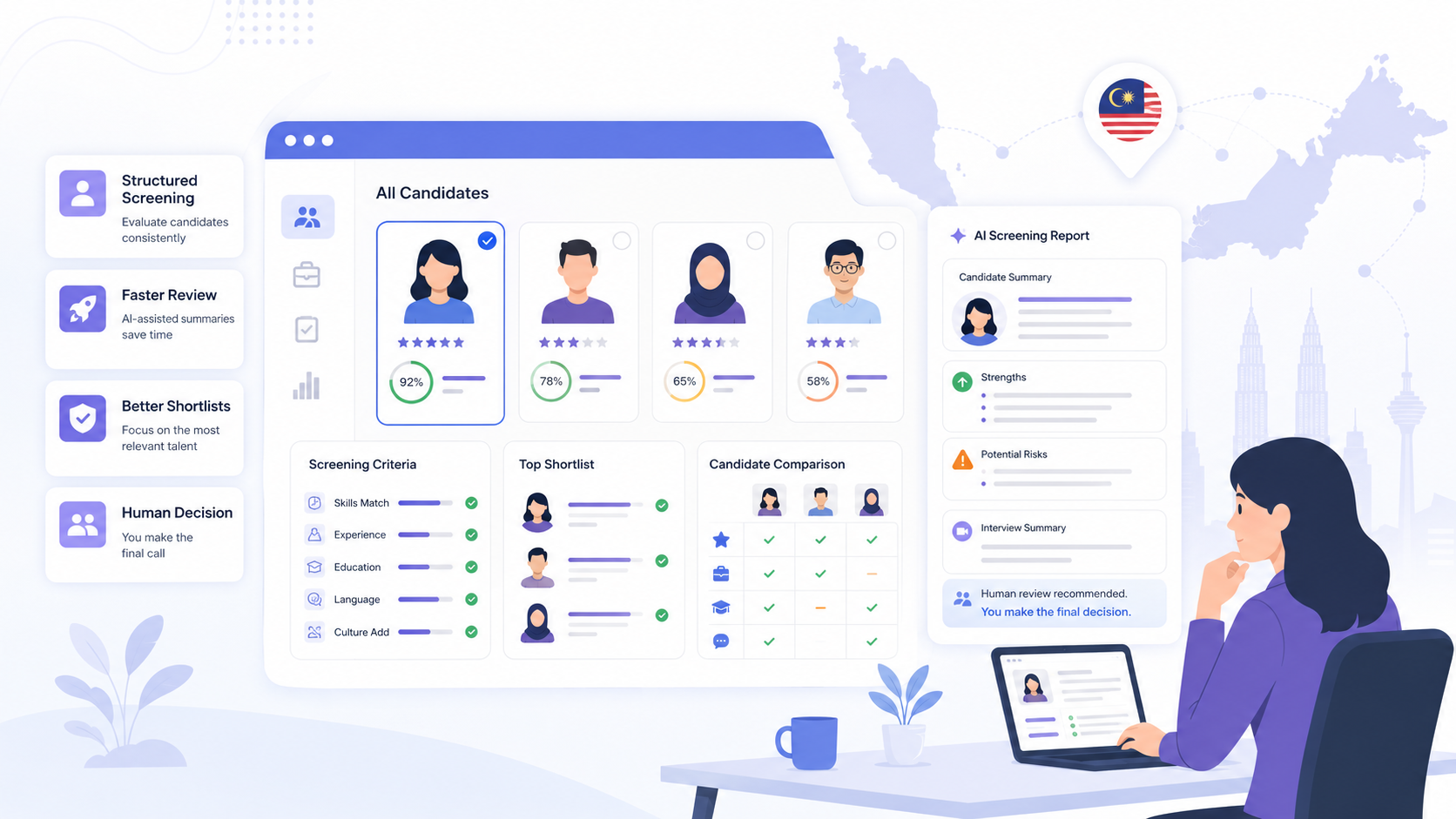
For teams that want to reduce manual screening work without handing hiring decisions over to AI, KitaHQ can help connect AI resume screening, AI video interviews, interview assessment, candidate reports, and recruitment automation in one early-stage screening workflow.
See KitaHQ’s AI recruitment software for candidate screening.
KitaHQ is an AI hiring software that helps teams screen faster, run AI video interviews, and evaluate candidates consistently.